
Fonos - TTS Editor

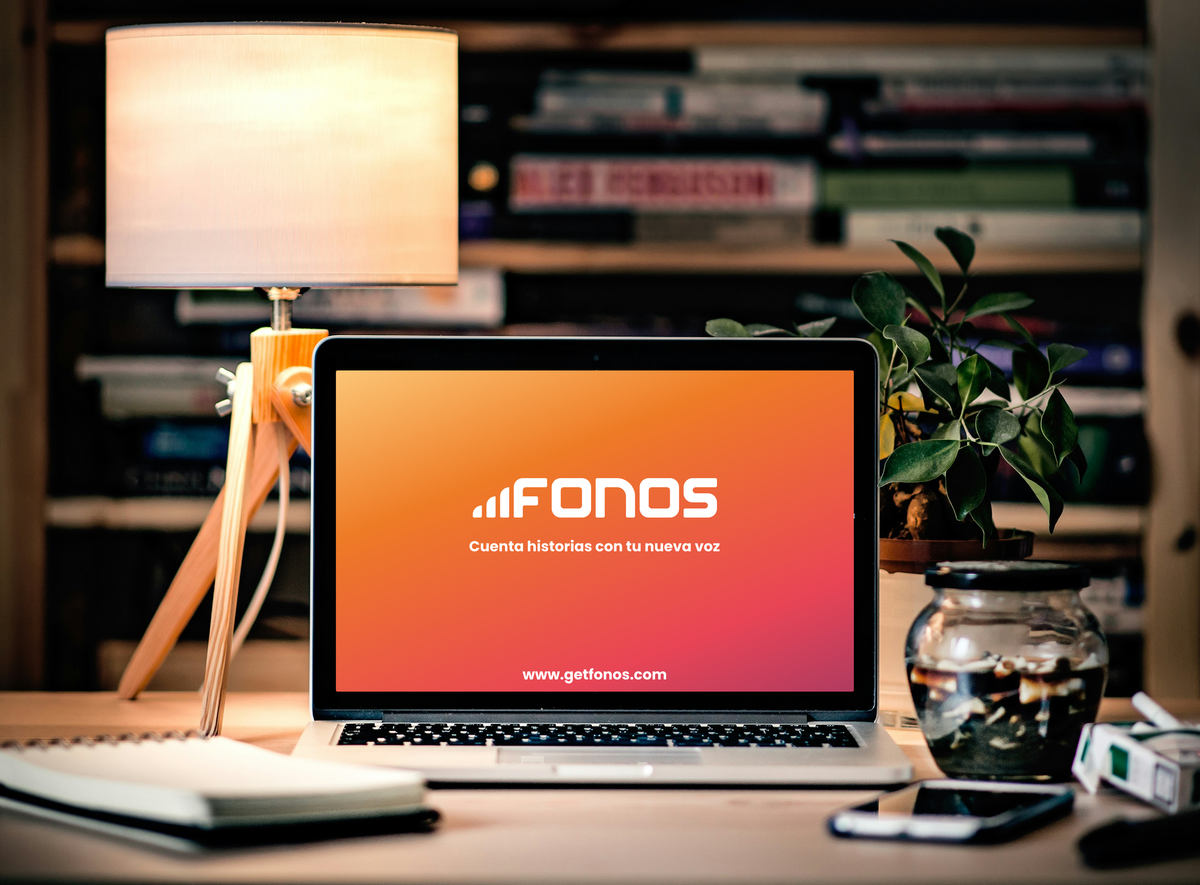
Monoceros Labs | 2022-2024 | Interaction Designer & Front-end Developer
The Context
In 2022, Monoceros Labs wanted to launch their first product in the
speech synthesis space. The goal: make voice content creation accessible
to Spanish-speaking creators who didn't have recording studios or
professional audio skills.
I joined a small startup team to lead product design, working as both
interaction designer and front-end developer. My job was to take Fonos
from concept through MVP launch—which meant everything from user research
to interaction design to writing code.
The challenge wasn't just building another text-to-speech tool. Most
TTS products were either too technical (for engineers) or too simple
(limited control). We needed something in between: accessible to content
creators, but powerful enough to produce quality audio they'd actually use.
My Role
Position: Interaction Designer & Front-end Developer
Duration: 2 years 1 month (Jul 2022 - Jul 2024)
Team: Small startup team
Responsibilities:
- User research with content creators
- Product strategy and positioning
- Interaction design for TTS editor
- Front-end implementation
- Brand identity creation
- MVP definition and launch
Skills Applied:
Product design, Interaction design, User Research, Front-end development,
Design Leadership
The Challenge
Create a text-to-speech editor that:
- Makes voice synthesis accessible to Spanish-speaking content creators
- Feels natural to use, not technical
- Produces quality audio people will actually publish
- Works with generative AI and voice synthesis technology
- Handles the messiness of real content creation workflows
Key constraint: Working with emerging AI technology that had quality
inconsistencies and technical limitations.
Understanding Content Creators
User Research
I started by studying how content creators actually work. Interviewed podcasters, educators, and video creators about their audio workflows.
What I Learned:
The Recording Problem: Recording audio is time-consuming and error-prone. Creators make mistakes, need multiple takes, and often hire others to handle audio editing.
The Editing Problem: Audio editing is the most time-consuming part of content creation. When they needed to update even small parts, they'd have to re-record entire sections. This was frustrating and expensive.
Where They Saw Value:
- Updating content without re-recording everything
- Fixing mistakes instantly by editing text instead of re-recording
- Translating their voice into other languages (credibility boost)
- Having "good enough" audio quickly vs "perfect" audio slowly
Key Insight: Content creators didn't need perfect voice cloning. They needed something faster and easier than their current process. The bar wasn't "as good as professional recording"—it was "better than what I'm doing now."
The Pivot
From Editors to Content Creators
Initial Thinking: We started designing for "editors"—people who would polish existing audio content professionally.
Reality Check: During research, we realized content creators themselves were the real audience. They needed tools to create and update audio quickly, not tools to perfect existing recordings.
Strategic Shift: Positioned Fonos as a creative tool for content creators, not a technical tool for audio engineers. This changed everything about how we designed the interface.
Designing the Editor
Core Design Philosophy
Inspiration: Note-Taking Apps
We based the interface on simple, minimal note-taking apps. The goal: make Fonos feel like your place to save notes that could easily become audio.
Why this worked:
- Familiar interaction patterns
- Low barrier to start using it
- Focused on writing, not audio engineering
- Felt creative, not technical
Key Principle: Text First
Users should think about their content, not about audio controls. The interface treats text as the primary input—voice is what happens to it.
Interaction Design Decisions
Text Editing Area
Clean, distraction-free writing space. Like opening a blank note. No overwhelming toolbars or technical options upfront.
Users can:
- Type or paste text directly
- Edit like any text editor
- See their content organized clearly
Voice Customization Controls
Presented as an inline toolbar (inspired by Notion):
- Speed
- Pitch
- Emotion/style
- Voice selection
Why inline: Keep controls minimal and contextual. You only see them when you need them. The interface doesn't scream "audio engineering tool"—it whispers "creative writing space with audio options."
Preview & Playback
Users generate audio to hear how it sounds. Player appears at bottom of screen.
Design Decision: We didn't do real-time preview. The AI synthesis took time, so we made generation explicit. Click generate → get your audio. This honesty about the technology's constraints worked better than faking real-time feedback.
Background Processing: Users can continue editing while audio generates. No waiting. No blocking the interface. The work continues.
Working with AI & Voice Technology
The Technical Constraints
Accent and Prosody Fidelity: This was the biggest challenge. Getting AI-generated voices to sound natural—maintaining the right accent, intonation, and rhythm—was technically difficult.
Design Response:
- Clear preview before committing
- Easy to regenerate with different settings
- Set expectations honestly (this is synthetic, not perfect)
- Give users control over what they could control (speed, pitch, style)
Quality Inconsistencies: Early AI models had variable quality. Some voices sounded better than others. Some text rendered better than others.
Design Response:
- Built diverse voice catalog so users could find what worked
- Made it easy to try different voices
- Focused on "good enough" over "perfect"
Processing Time: Generation wasn't instant. Longer text took longer to process.
Design Solution:
- Show clear generation status
- Allow continued editing during generation
- Don't block the interface
- Make it feel responsive even when processing is slow
What Made It Into MVP
Feature Prioritization
Included:
- Clean text editor
- Voice selection from catalog
- Basic customization (speed, pitch, style)
- Audio generation and playback
- Voice cloning from user's samples
- Multi-language support
- Export audio files
Postponed:
- Automatic slideshow creation (not enough time to test)
- Advanced audio editing features
- Collaboration features
- Advanced voice training
Strategic Choices: Focus on the core workflow: write text → generate audio → export. Everything else could wait.
Surprising Discoveries
What We Learned from Testing
Usage Pattern: We expected people to create long-form content (full podcast episodes, complete courses). Instead, they used Fonos for small pieces—updating specific sections, creating short clips, fixing individual mistakes.
Why This Mattered: This validated our editing focus. Users weren't replacing their entire recording workflow. They were supplementing it. Fonos became their "quick fix" tool, not their primary recording solution.
Multi-language Impact: Users loved translating their voice into other languages. It wasn't just practical—it made them feel more credible and professional. They could reach international audiences without learning new languages or hiring voice actors.
Creating the Brand
Identity Work
I also created the complete brand identity for Fonos—the name (representing phonemes, the building blocks of speech), custom typography, color system, and logo representing spectrograms and waveforms.
The brand work established Fonos as the first in what would become Monoceros Labs' family of speech technology products.
Read the full brand story: → Fonos, the brand for digital voices
The Product Today
What Fonos Became
Core Features:
- Online TTS editor with simple interface
- Voice cloning (users can clone their own voice)
- Multi-language support (speak any language with your voice)
- Diverse voice catalog (different accents, styles, genders)
- Professional quality audio output
- Designed for accessibility and inclusion
Target Use Cases:
- Content creators (podcasts, videos)
- Educators (educational content)
- Businesses (brand voice consistency)
- Creative professionals (storytelling)
Ethical Foundation: Built with manifesto emphasizing:
- AI for breaking communication barriers
- Responsible AI use (no deepfakes)
- User control over their voice data
- Transparency about AI-generated content
- Diverse voices representing different identities
Clients Using Fonos: Prisa Media, RTVE, Radio 3, Gilead, LLYC, t2ó
The Reality
What Went Well
Product-Market Fit: Content creators actually used it. The "quick update" use case we discovered validated the entire approach.
Interface Simplicity: The note-taking inspiration worked. Users understood the interface immediately without tutorials.
Multi-language Feature: This became a major differentiator. Users loved maintaining their voice identity across languages.
Ethical Positioning: The manifesto and ethical stance attracted users who cared about responsible AI use.
What Was Challenging
Small Team, Big Scope: Wearing multiple hats (product design, brand design, front-end development) meant constant context-switching. Some days designing interfaces, others writing code, others researching voice synthesis APIs.
AI Quality Constraints: Working with emerging technology meant dealing with:
- Inconsistent voice quality across models
- Accent and prosody challenges
- Rapid changes in underlying technology
- Technical limitations that required design workarounds
Market Education: Spanish TTS market was less mature than English. Had to educate users about synthetic voice capabilities while managing expectations.
Feature Prioritization: Limited resources meant ruthless prioritization. Some features I designed never made it to MVP. Some polish had to wait.
What I Learned
About Product Design
Start with Real Workflows: The pivot from "editors" to "content creators" only happened because we watched real people work. Assumptions about users are expensive.
Simple Beats Powerful: Content creators chose Fonos because it was simple, not because it had the most features. The note-taking metaphor worked better than exposing all the technical controls.
"Good Enough" Is a Feature: Perfect voice cloning wasn't necessary. Fast, easy updates were more valuable. Understanding what quality level users actually need matters more than achieving maximum quality.
About AI Product Design
Be Honest About Constraints: We couldn't do real-time preview, so we didn't fake it. Users appreciated the honesty. Trying to hide AI limitations makes the experience worse.
Design for Variability: AI outputs are inconsistent. Design systems that let users explore options, regenerate easily, and find what works for them.
Ethical Design Matters: The manifesto wasn't marketing—it was product strategy. Clear ethical stance attracted the right users and guided difficult decisions.
About Wearing Multiple Hats
Design + Development: Implementing my own designs taught me what's actually hard to build. Made me a better designer. Understanding code constraints made designs more realistic.
Brand + Product: Creating both brand and product simultaneously meant they reinforced each other. The brand personality shaped product decisions. Product needs influenced brand choices.
Strategy + Execution: Doing research, strategy, design, and development meant no information loss between handoffs. But also meant less specialization depth.
Skills Demonstrated
Product Strategy:
- User research and synthesis
- Product positioning
- Feature prioritization
- MVP definition
- Market understanding
Interaction Design:
- Voice interface design
- Text editing workflows
- AI-powered feature design
- Progressive disclosure
- Accessibility considerations
Technical:
- Front-end development (implementation)
- Working with AI/ML APIs
- Voice synthesis technology integration
- Performance optimization
- Async processing patterns
Design Leadership:
- Leading design for entire product
- Making strategic decisions with limited data
- Balancing user needs with technical constraints
- Building ethical AI products
Related Work at Monoceros Labs
Lingokids Alexa Skill (2022-2023)
While working on Fonos, I also served as conversational designer for Lingokids' Alexa Skill—an educational voice interface for children learning English.
Designed conversational flows for young learners, created voice UI patterns appropriate for children, and collaborated with voice engineers.
This parallel work deepened my understanding of voice interfaces beyond TTS—learning how people actually interact with voice technology in real contexts.
Links & Resources
- Product: → Visit Fonos: getfonos.com → Read the Manifesto → Try the Editor
- Brand Story: → Fonos, la marca de las voces digitales
- Related Writing: → Interfaces multimodales (conference talks) → Voice interface research
Reflection
What This Project Taught Me
Creating Fonos wasn't just designing an interface—it was figuring out what should exist and why it mattered.
The most valuable lesson: Users don't want what you think they want. Content creators didn't need perfect voice cloning. They needed fast updates. They didn't need professional audio tools. They needed their note-taking app to have a voice.
The second lesson: Working with emerging technology means designing for constraints you can't eliminate. You can't fix slow AI processing. You can't perfect accent fidelity yet. But you can design honest interfaces that work within reality instead of fighting it.
The third lesson: Ethics aren't optional. The manifesto guided every difficult decision. When in doubt, we asked: "Is this responsible? Does this help people? Could this cause harm?" That clarity made design decisions easier.
Fonos exists now. Content creators are using it to reach audiences they couldn't reach before. That's what matters.