Managing a user research system with JIRA

Knowing how your product is perceived and used is key for user experience designers. Even if you are not a UX researcher, you can do research to gain that knowledge. As soon as you start planning some of these research studies you'll notice how difficult it could be to decide who do you want to talk to, what's the purpose of the study or how to interpret discoveries.
However, there's another challenge that comes with all of this that I consider equally important: how to manage all these findings coming from different sources to make them understandable and actionable for your team, as well as creating a system that encourages a culture of research.
The information gathered as a result of research sessions can come in many shapes and forms. I want to share with you how we have defined a very basic user research system to manage the results of conducted studies so you can create and work from the big picture to the specifics of an issue.
Picking up the right tools
I don't think there's a unique or perfect tool to do that, rather I'd consider what's the process that fits best to your team and what they would consider something manageable. The user research system is your new product, and you should test its usability.
I know many people managers like to work with spreadsheets, this is not my case - not always - and not the case of my team of designers. We needed something visual, familiar, interactive, customisable and ... user-friendly :) We needed something easy to set up, to integrate into the other hundred work tasks we have to do every day and something that could really save us some time.
So we decided to use the tools that we use on a daily basis and get the most of them.
JIRA by Atlassian
The next-gen JIRA projects are meant to be used by small teams and they don't require too much configuration. They are also great to link, move or transform any item into a development project, so you can track the progress from the day the problem was discovered to the day the solution was delivered.
JIRA's unit of information is called 'issue'. Issues can be related to each other (parent-child, cause-effect, etc.), and they are actionable, meaning that they can be at different status (to be done, in progress, etc.).
The next-get project gives you an easy interface to create a different type of issues and configure which fields they will have.
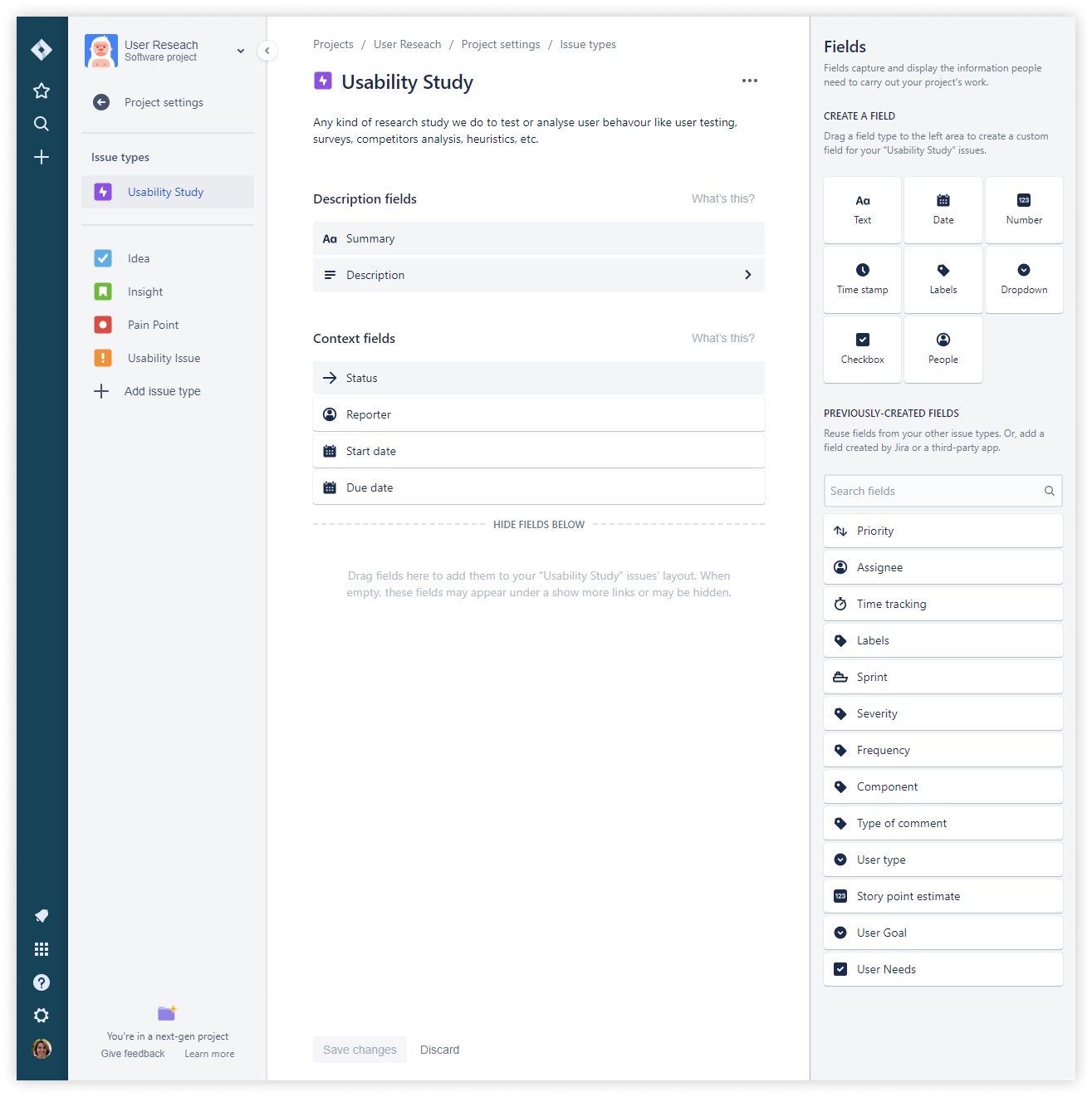
The taxonomy you want to use to organise the information can vary from team to team. In our case, all the insights were related to the same product and we tried to follow a simple approach to avoid being burnt into data and not capable of filling all the gaps. For this reason, we decided to create some minimum issue types:
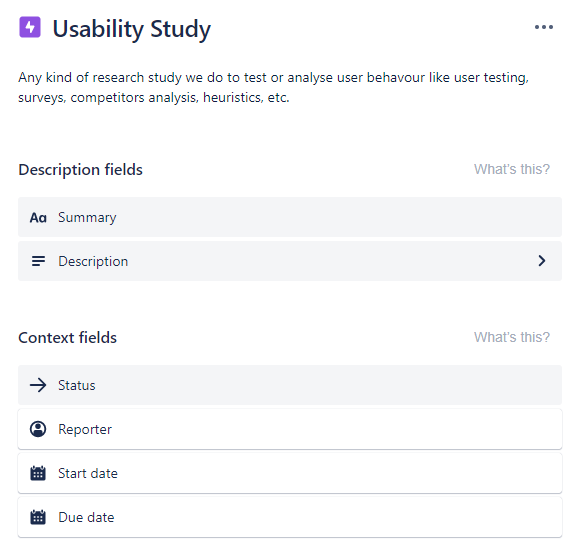
- Usability Study: Any kind of research study we do to test or analyse user behaviour like user testing, surveys, competitors analysis, heuristics, etc.
- Usability Issue: Abnormal experiences that can cause confusion and are not aligned with standard and expected behaviour.
- Pain Point: Critical usability issues that have a high impact on the user experience and can cause frustration to our users.
- Insight: Things we have discovered about users during a study about their believes, values, behaviours or expectations.
- Idea: Potential action points or recommendations based on study insights.
Getting started: usability studies
A usability study can be any research method used to collect information about users like:
- Surveys
- Customer interviews
- Heuristic evaluations
- Data analytics
- User Tests
- Stakeholder feedback
- Competitor analysis
- etc.
Since each research method is done with a purpose, within a specific context and a challenge on the way it is planned and analysed, this information is included in the description of the study. This way, we can get better information about the issues related to it when visiting the findings after a while.
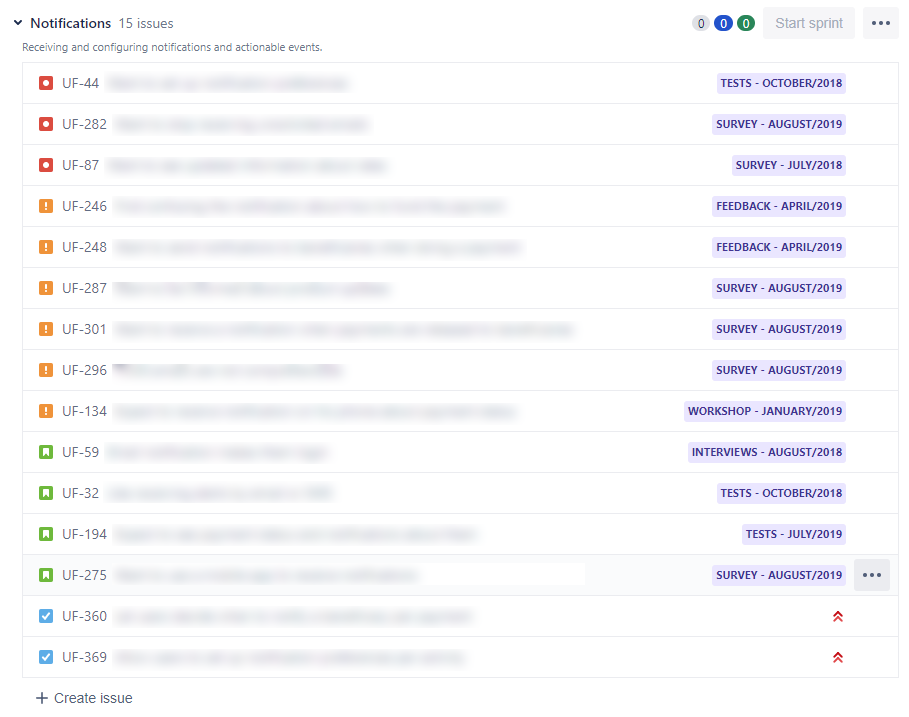
As a way to facilitate quick identification of the study when looking at all the issues we have created a naming convention '<study type - month/year>'.
Organising findings
Once we have created our first usability study, we can start adding issues to it. In our case, we are considering different types of items to organise all these findings.
Usability issues and pain points
A usability issue is any problem that can impact on a good experience of a user when interacting with the product. A pain point is similar to a usability issue but the consequence observed is the user frustration or incapability to actually interact as expected and desired.
Both are ranted by severity (low, moderate, high) and frequency (low, moderate, high). It's debatable whether a highly severe and recurrent usability issue should be a pain point or not. To me, the main difference is that irrespectively a pain point has happened one or ten times, or whether it was critical from the perspective of how the product it should be designed, we have evidence that it's yet not tolerable by users at all. It's not what the expect, not what they want, not what they'd buy.
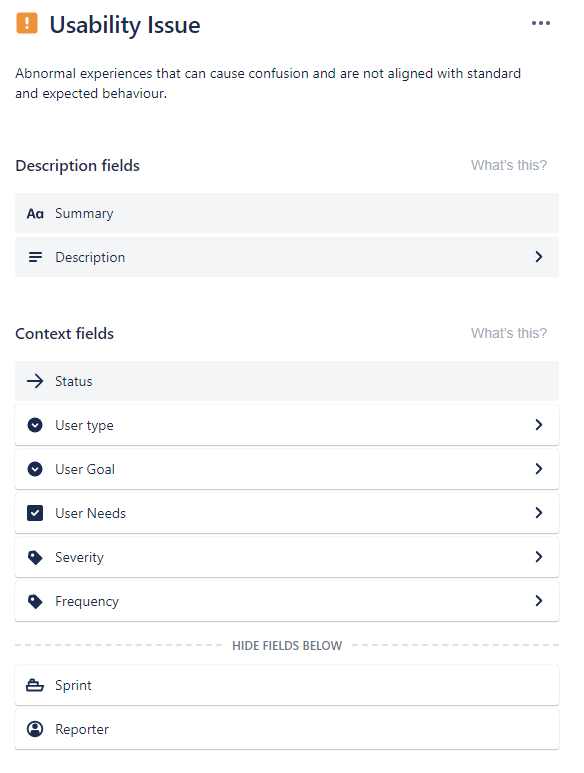
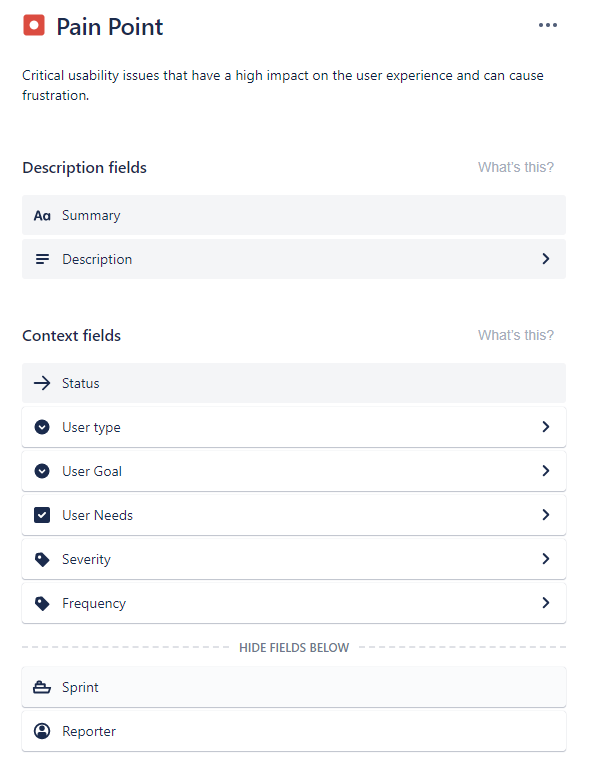
Like usability studies, it's important to agree to a convention on how usability issues and pain points are titled. In our case, we have agreed to phrase clear statements, for example:
- (They) Want to see more information when visiting a product item
- (They) Think it is too complex to create a post
Another convention would have been to use the typical scrum issue statement 'As a user, I want to ... so that I can ...'. which gives more information about user intention and the user type.
Insights
Sometimes, when performing a user test or an interview we can discover things that are not actual problems, but give us information about how our users work or behave. We have called these findings 'Insights'. Insights are also related to a specific user type while achieving a specific goal based on specific needs.
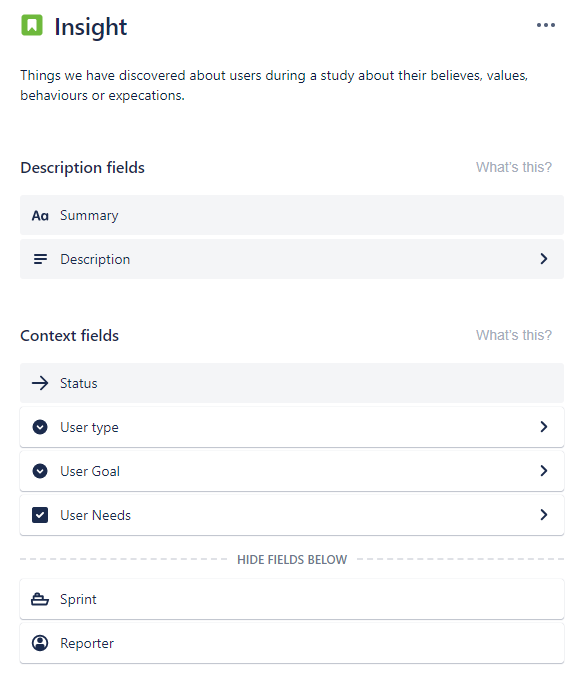
Issues and insights will contain as much information as possible, including quantitative information that will help stakeholders to value the impact of the finding.
Planning actions
As important as presenting the results of the study is to provide recommendations about what to do next. We will collect these recommendations using 'Ideas'. Ideas can be related to one or many issues, and they'll be actionable design recommendations.
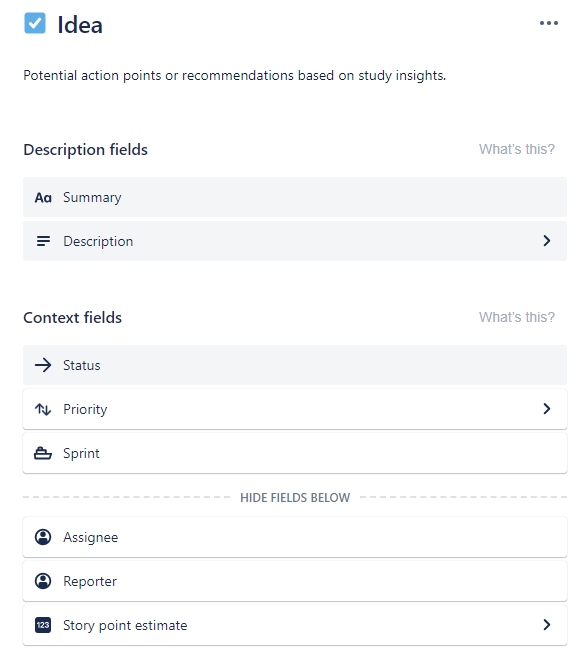
Ideas will be finally the seed of future user stories in design or development backlogs.
Conclusions
Although understanding users might be challenging it doesn't mean it has to be chaotic. Managing information from research can be done by any team, and it will help designers to be focused on what matters the most: the user experience.
Certainly, issues, insights or ideas don't come out just based on the result of a concrete usability study, but after the formative analysis of several issues over time. We can create them at any point in time as soon as we discover it with no need for the usability study.
We can also create more layers to organise issues. For example, we have used the concept of 'sprint' to group items by area of experience. Things like user profile, notifications, creating <content_type>, receiving emails, etc. are examples of different types of product sections that might require a special analysis.
The good thing is that the way to categorise these issues doesn't need to be limited by the tool but just planned according to the product characteristics. Having a simple process like this can facilitate to anyone to contribute with their knowledge and to gain visibility of the existing usability status of it.